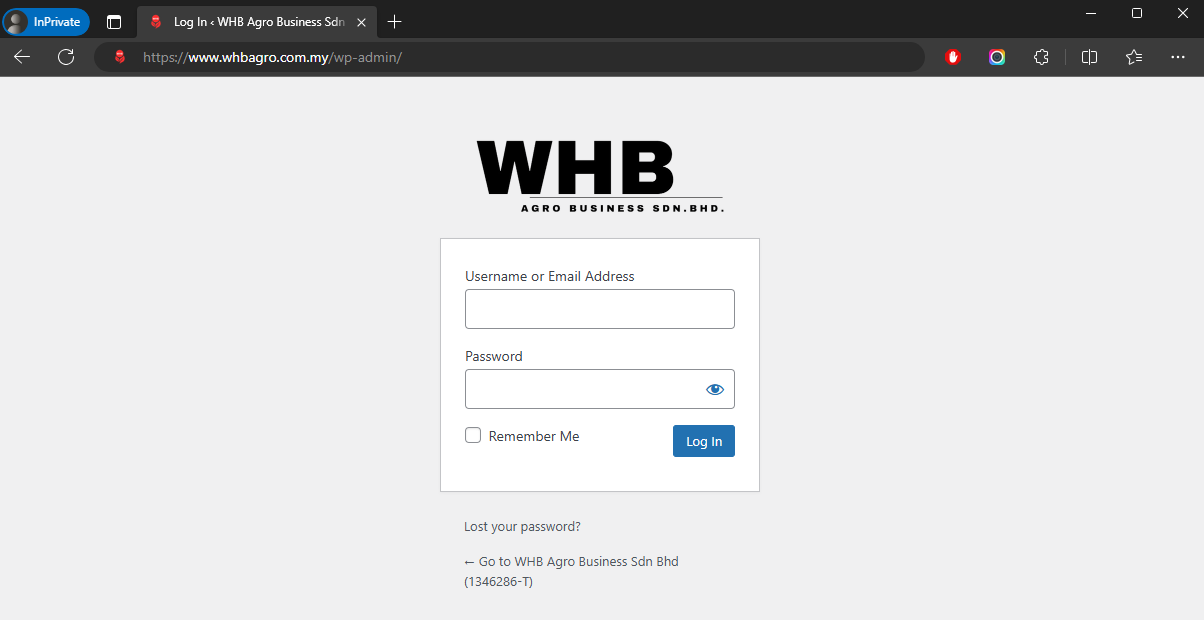
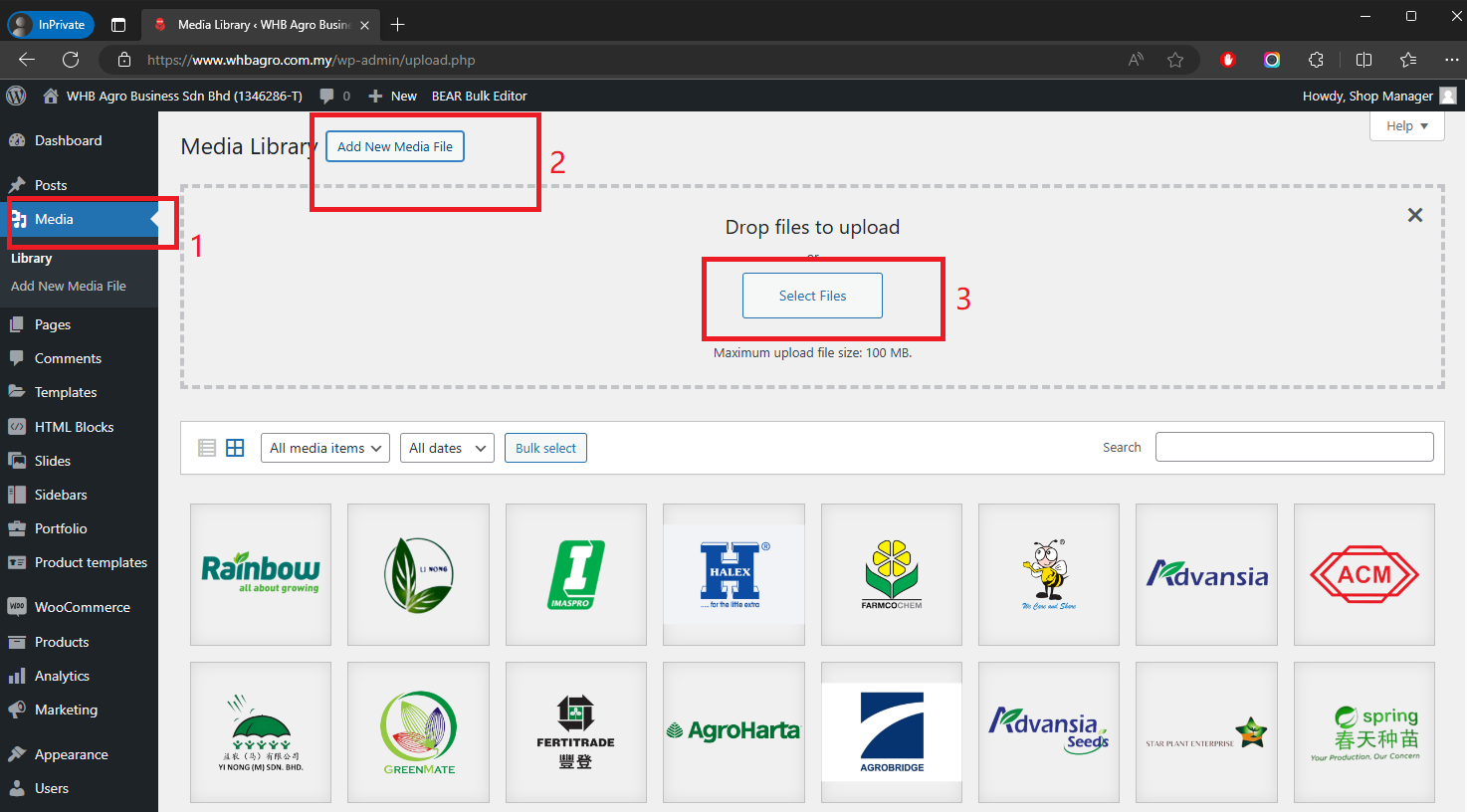
Media > Add New Media File > Select Files
Product > Add New
What is Normal Product? Answer: Please Click Here (Please Login To View This Link)
Double click the video to make it full size
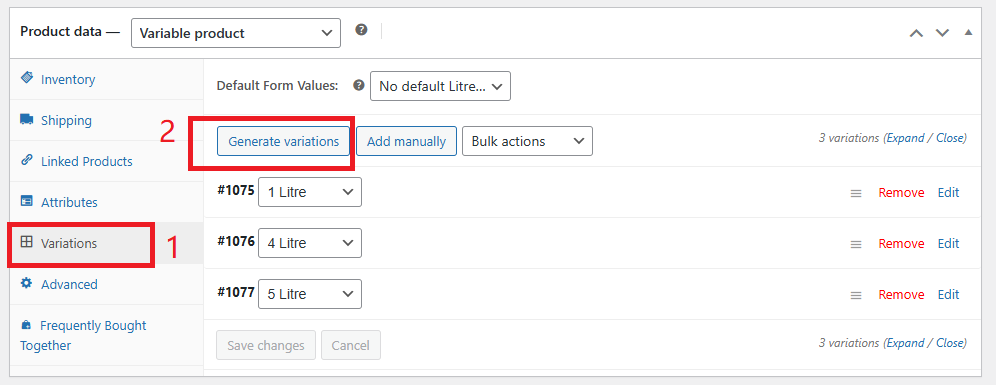
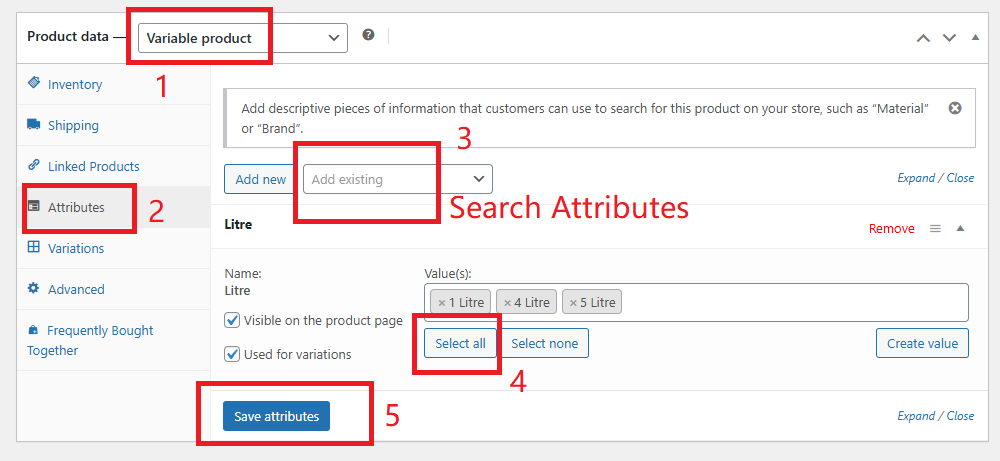
What is Variable Product? Answer: Please Click Here (Please Login To View This Link)
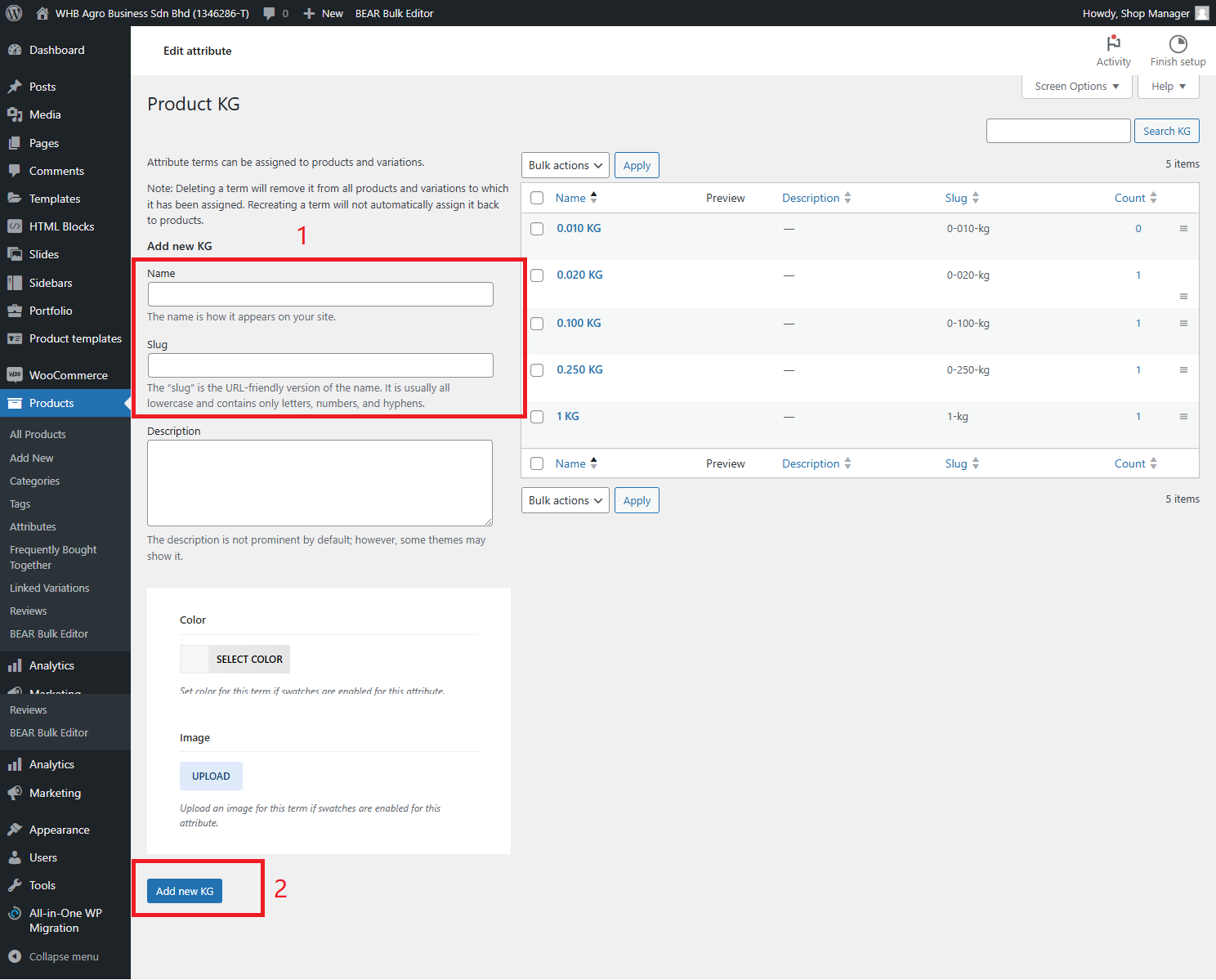
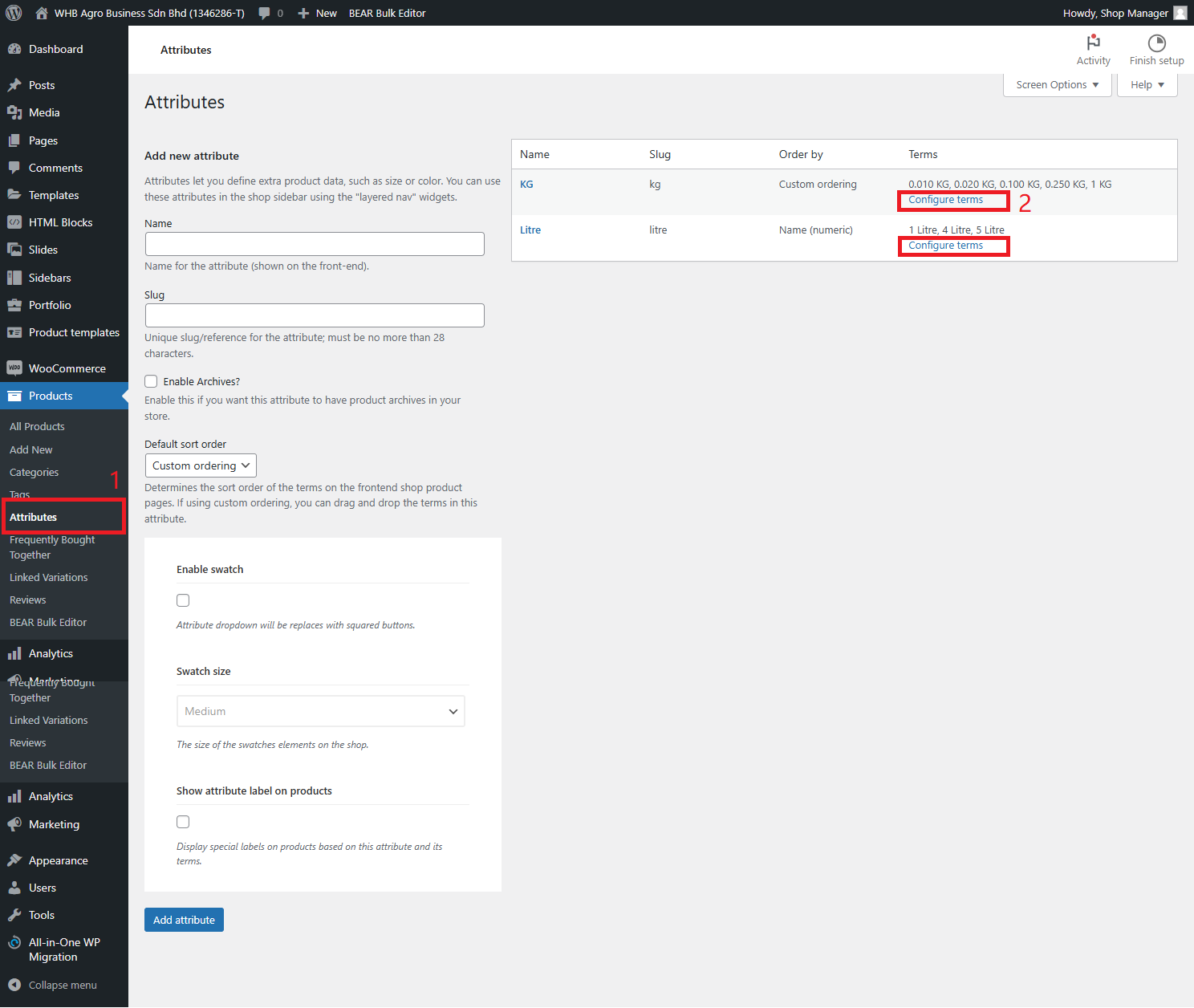
****Before Create Variable Product, please Create Attribute First”****
Click the photo for FULL Size Photo
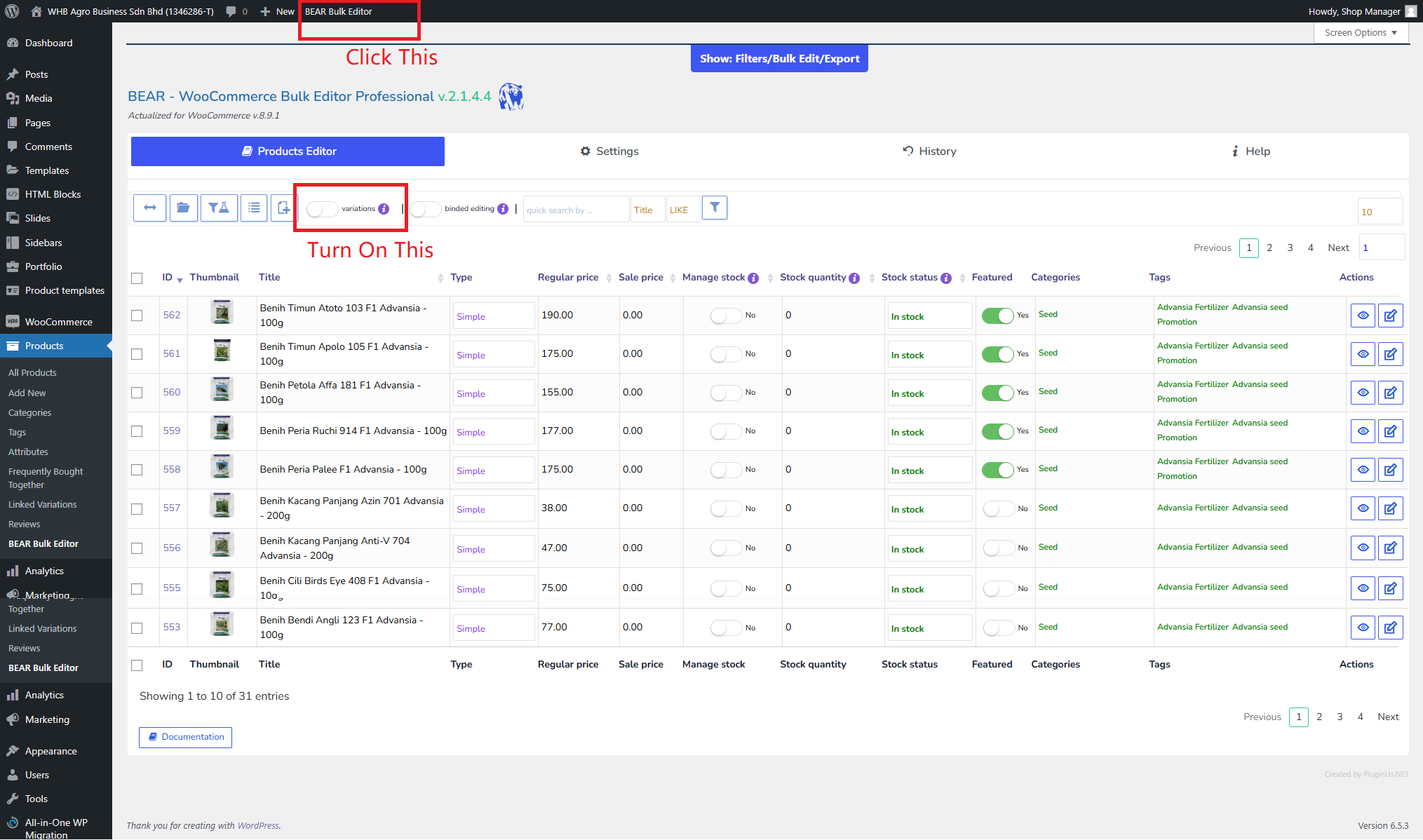
This feature is allow you to Manage Product Details like Product Name, Product Price, Product Categories / Tag, Manage Stock Quantity in ONE Platform
****Please Turn On “Variation Button” if your product is Variation Type****
What is Variation? Answer: Please Click Here (Please Login To View This Link)
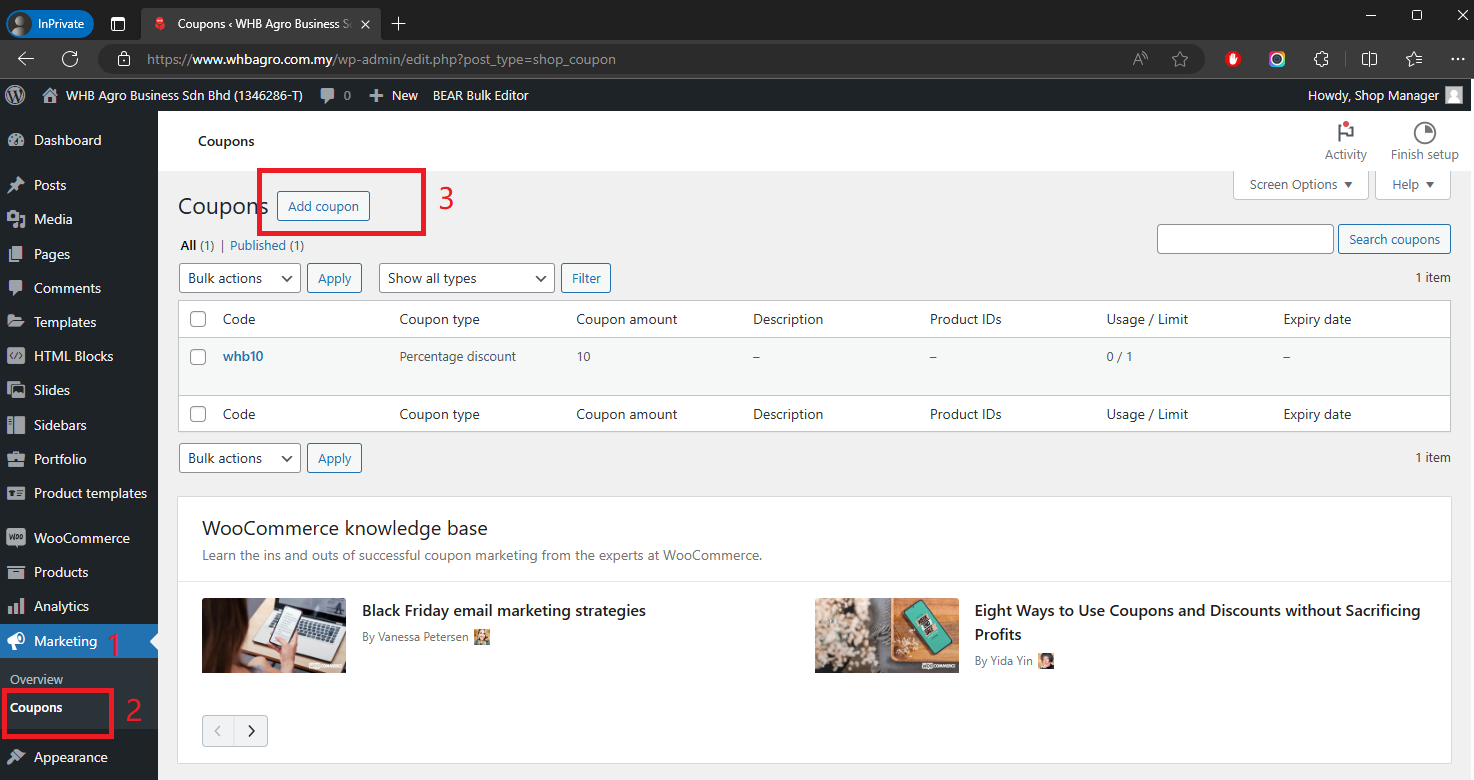
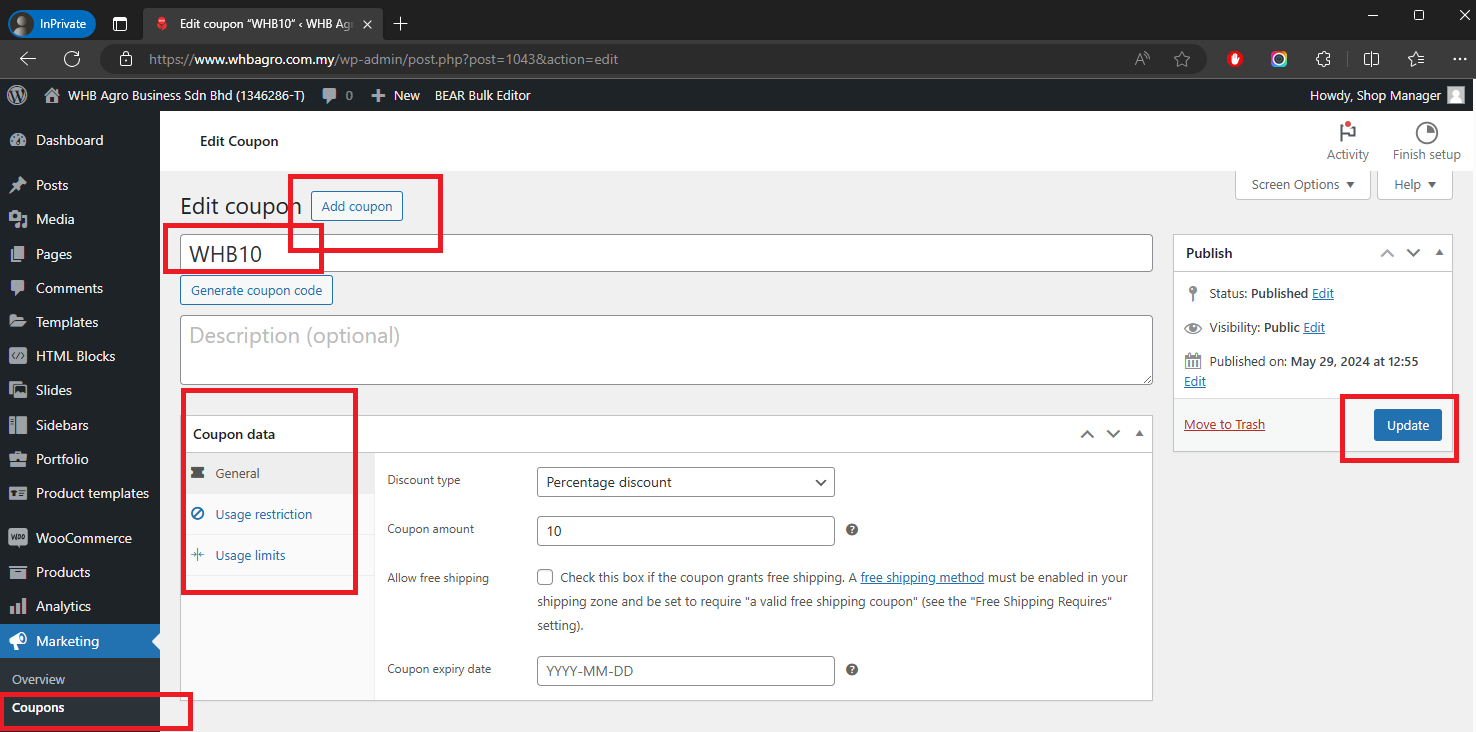
Marketing > Coupon > Add Coupon
Username or email address *
Password *
Remember me Lost your password?
Log in
Email address *
A password will be sent to your email address.
Register